
Project Go Hub
Volunteers
Know who is willing to help, and schedule them when you need them.
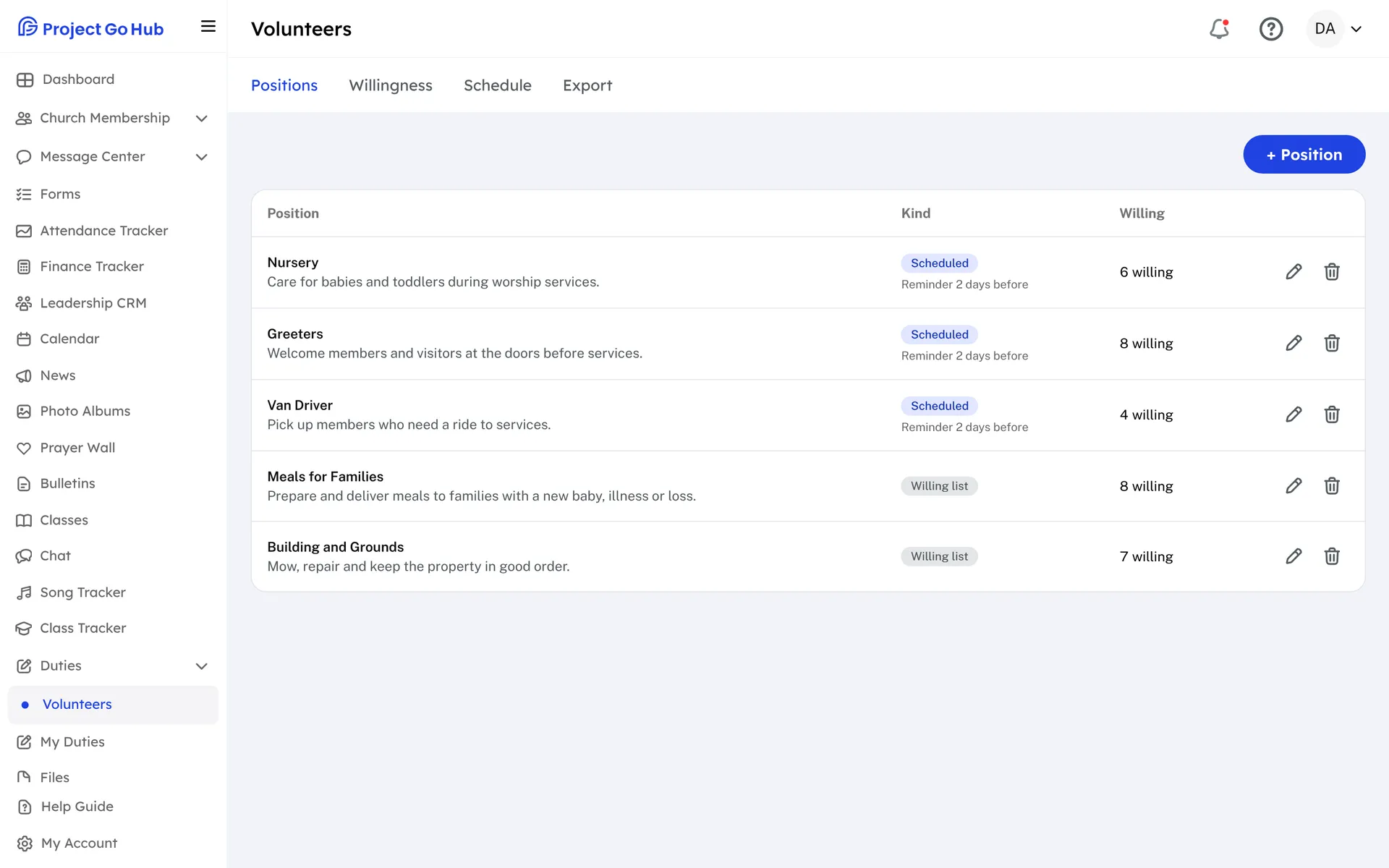
Volunteer jobs are the things that come up outside the worship roster: meals after a funeral, visiting the sick, cleaning the building, helping at a gospel meeting. Add each job under Positions with a title and a short description. You can also choose whether the job is scheduled.
A job that is not scheduled is a list of the members who are willing, kept for the day the church needs someone. A scheduled job is one you assign to dates. Members tell the church what they are willing to do, and the Willingness page shows every member and every job in one grid, so you can also change it for them.
On the Schedule page, pick a month and add assignments by hand, with an optional time and note. Or use Auto-assign. Choose the job, the first date, and how often it repeats: once, every week, every two weeks, or every month. The Hub fills those dates with willing members, takes turns, gives the next job to whoever did it longest ago, and skips anyone who marked those dates as away.
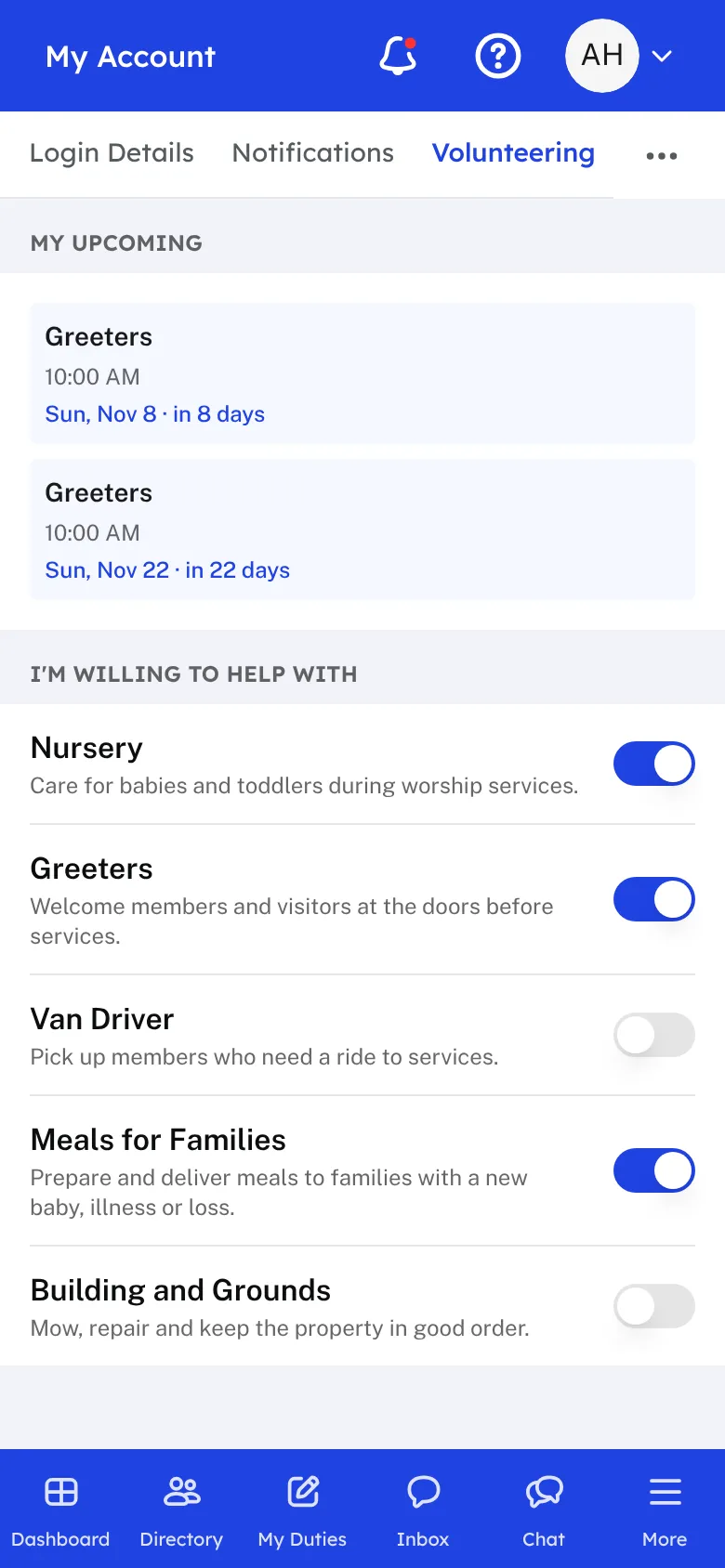
New assignments are drafts. When the month looks right, press Publish, and each volunteer is emailed the jobs that are theirs. Members see their upcoming volunteer jobs under My Account in Volunteering, and the next ones appear on their dashboard. There they can also turn on the jobs they are willing to do.
Reminders go out on their own. For each scheduled job you choose how many days ahead, from 1 to 7. Volunteers are reminded by email, by text if your church has the optional texting add-on, and by phone notification, depending on their notification settings. They arrive in the afternoon on your church's clock.
Who this helps
Members
They turn on the jobs they are willing to do, see the ones they are scheduled for, and get a reminder before each one. There is nothing to sign up for or remember.
Leaders
A list of willing helpers is always ready, and a month of volunteer jobs can be filled in a few minutes, reviewed, and sent out with one button.
27 features, one platform.
Try the Project Go Hub free, or see everything it does. No credit card required.