
Project Go Hub
Visitor Follow-Up
Every guest gets a card, a record, and someone to follow up.
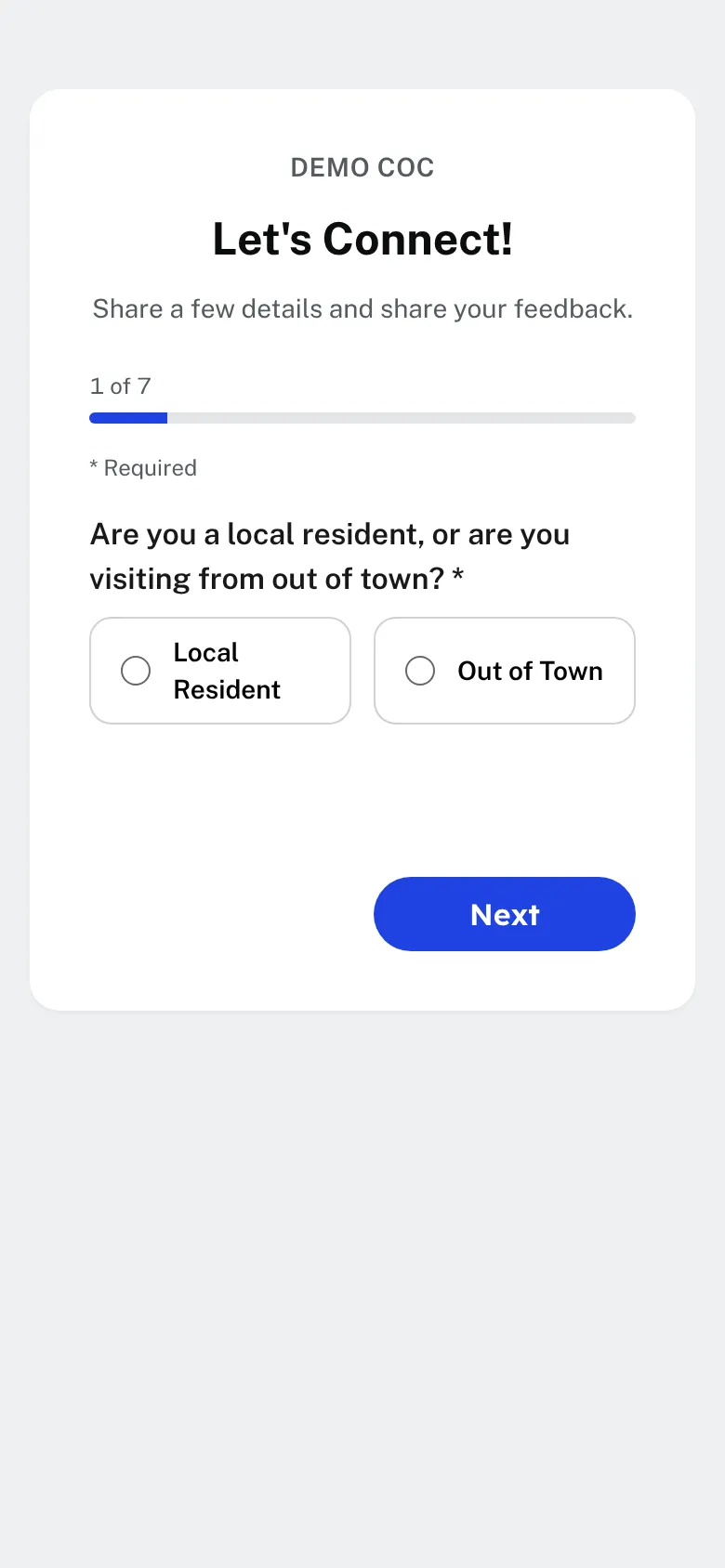
Your church has a visitor card at its own web address, and the Hub shows a QR code for it that guests can scan with a phone. A guest answers a few simple questions, one on each screen. Their answers create a visitor record, and a short thank-you appears when they finish. You can add questions of your own.
The Hub tells the people you choose. Pick a member group, such as the greeters or the elders, and each of them gets an email and a phone notification as soon as a guest sends the card. You can also have the Hub send the guest a welcome email, and a welcome text if you use the optional texting add-on.
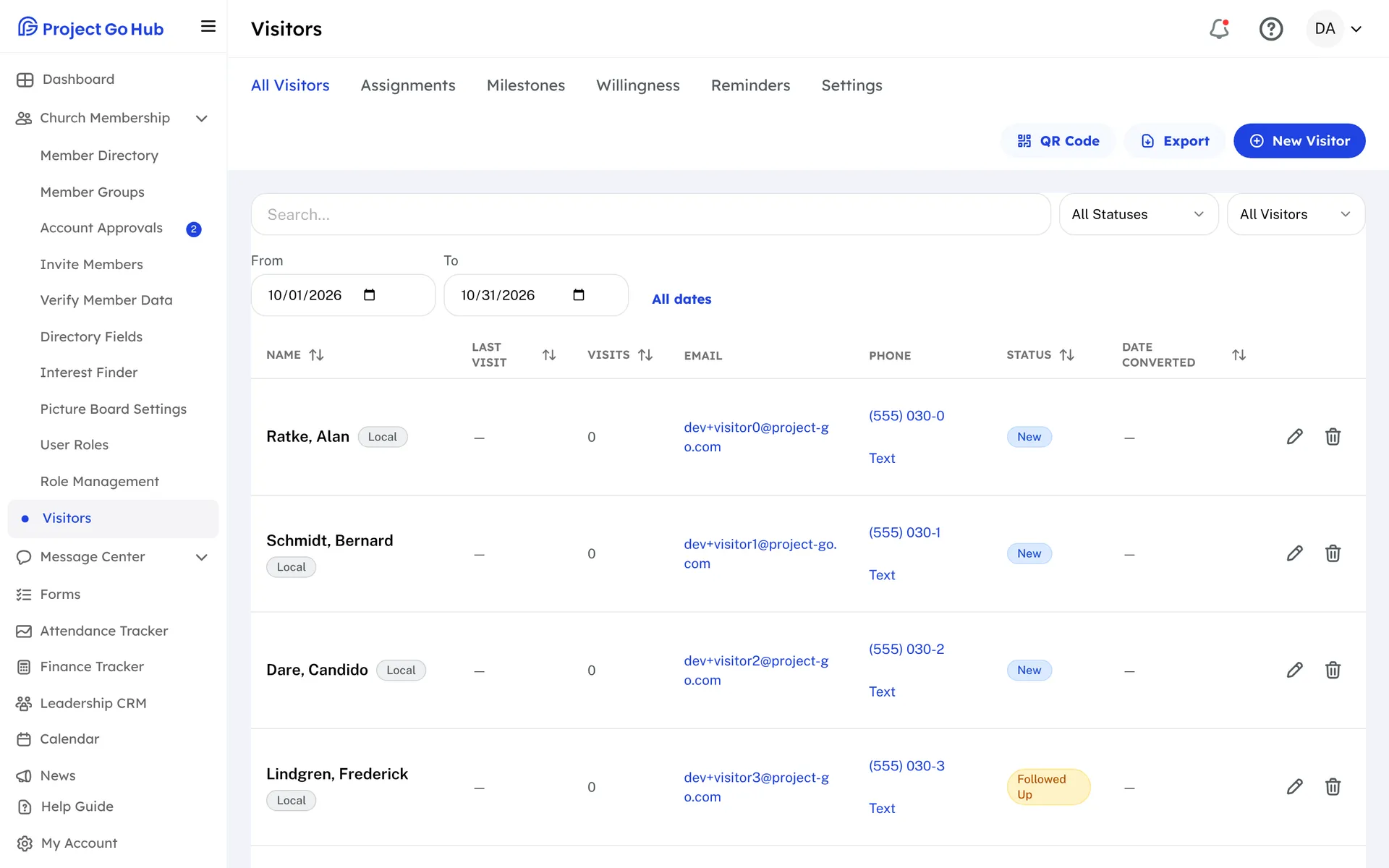
On the Visitors screen you keep the whole story: contact details, the household, each visit with its date, and a status of New, Followed Up, Mailed Card, or Converted. Filter by status or by local and out of town, and download visits for any dates as a spreadsheet.
Follow-up is shared. Set up milestones, such as a thank-you call or a home visit, and mark which members are willing to take each one. Press Auto-Assign and each ready visitor is matched with a willing member as a draft. Look it over, set the assignments to Assigned, or assign a member by hand. The member gets a reminder with a link to a page that shows who to contact and how, and a button to mark it done.
Reminders go out when you press Send Reminders, and a second reminder goes to anyone who has not finished. Each member can get them by email, by text, or both. Text reminders need the optional texting add-on.
Who this helps
Members
A member who is willing to follow up gets a clear task: who to contact, how to reach them, and a button to say it is done.
Leaders
No guest is forgotten. You see who visited, who has been contacted, and who still needs a call, and the work is shared instead of landing on one person.
27 features, one platform.
Try the Project Go Hub free, or see everything it does. No credit card required.