
Project Go Hub
Phone App
The whole Hub in every member's pocket.
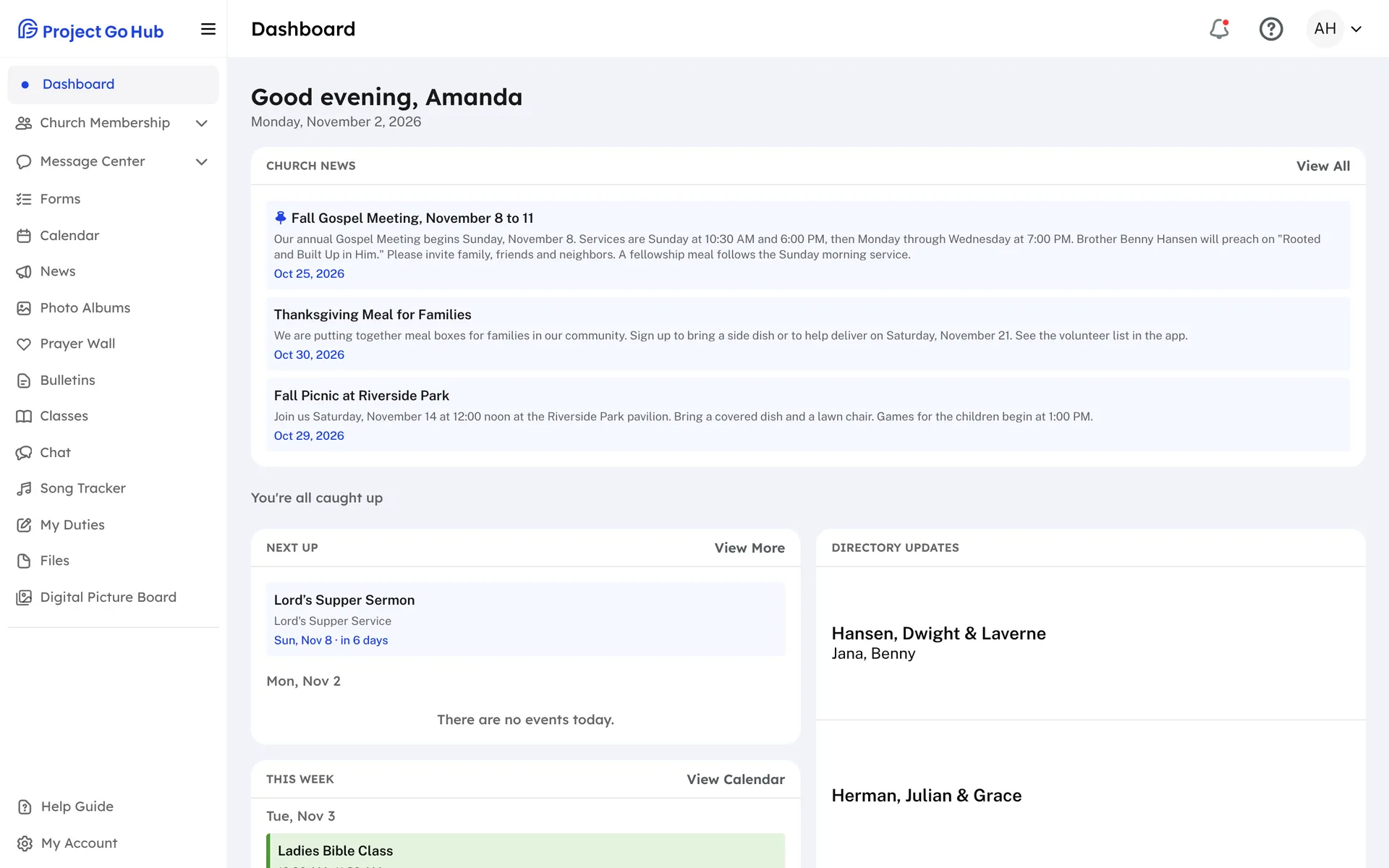
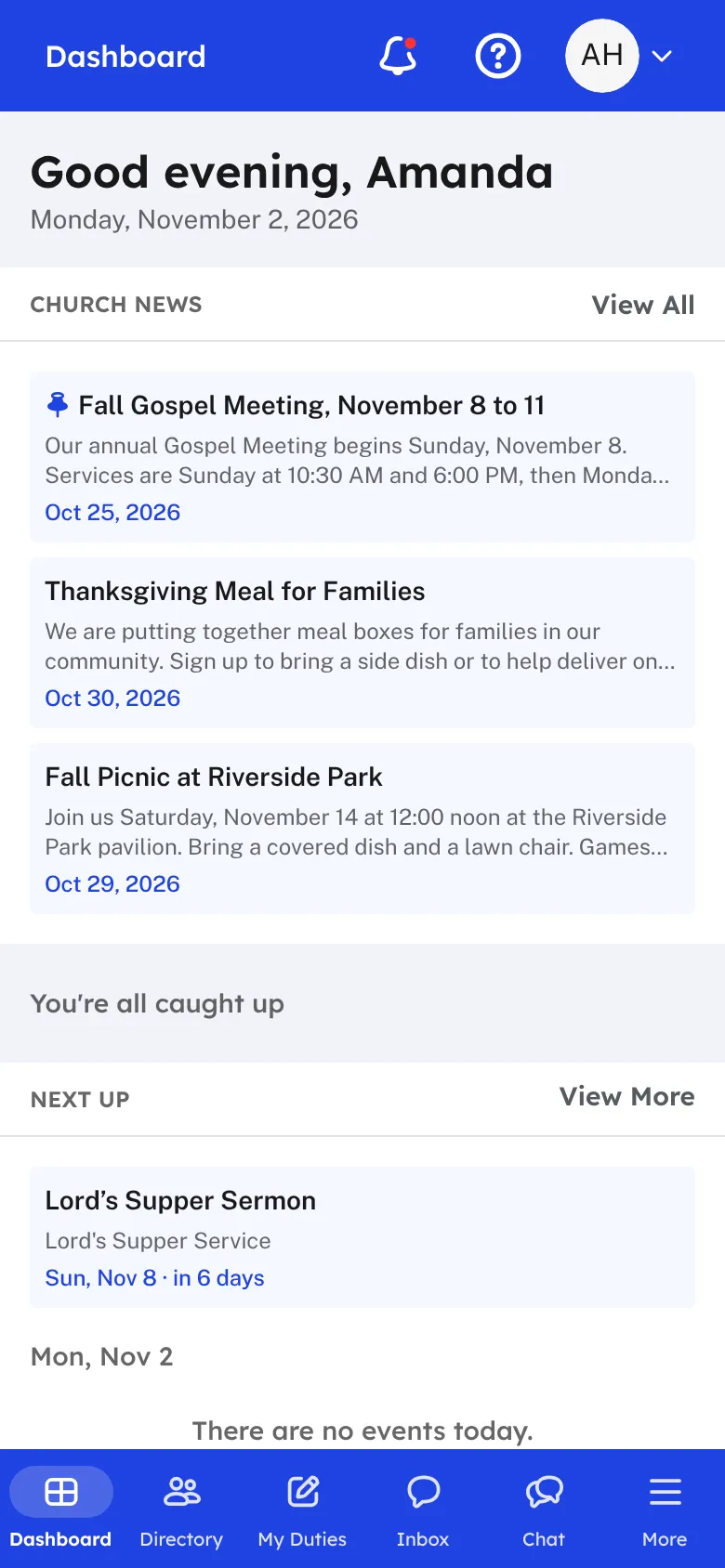
Members do not need a computer to use the Hub. It works in the web browser on any phone, tablet, or computer, and the screens fit the size of the device. On a phone, a tab bar along the bottom puts the Dashboard, the Directory, My Duties, and the Inbox a tap away.
There is also an Android app on Google Play. It is the same Hub in an app on the home screen. Members sign in the same way and see the same church. The Android Back button goes back one screen, or closes a window that is open. If the phone has no connection, the app tells you so instead of showing a blank page.
Phone notifications are how the Hub reaches people who are not looking for it. A member can get a notification for an upcoming duty, a church message, or a prayer request update. Tapping a notification opens the page it is about. Each member chooses whether to allow them in My Account, under Notifications.
Because the app shows the same Hub, nothing is installed twice and nothing is out of date. When the church changes something, every member sees it the next time they open it. Members can also add their photo from a phone's camera, and share downloaded files such as a roster with other apps.
Who this helps
Members
They check their duties, look up a phone number, read a message, and update their profile from wherever they are, and a notification reminds them when it is their turn.
Leaders
Your congregation can use the Hub on whatever device they already own, so you do not have to ask anyone to learn something new.
27 features, one platform.
Try the Project Go Hub free, or see everything it does. No credit card required.