
Project Go Hub
Online Giving
Give from a phone, and keep your own records straight.
Online giving is an optional add-on. The church connects its own Stripe account in Customization, so gifts go to the church's account. Giving is open to members from Give, and to anyone from a public giving page for your church. A visitor only has to give a name and an email address.
A giver types the amount and chooses a card or a bank account. Before they send the gift, the form shows the bank fee, the total, and the amount the church receives. Bank transfers take a few business days to settle, and the gift shows as processing until it does.
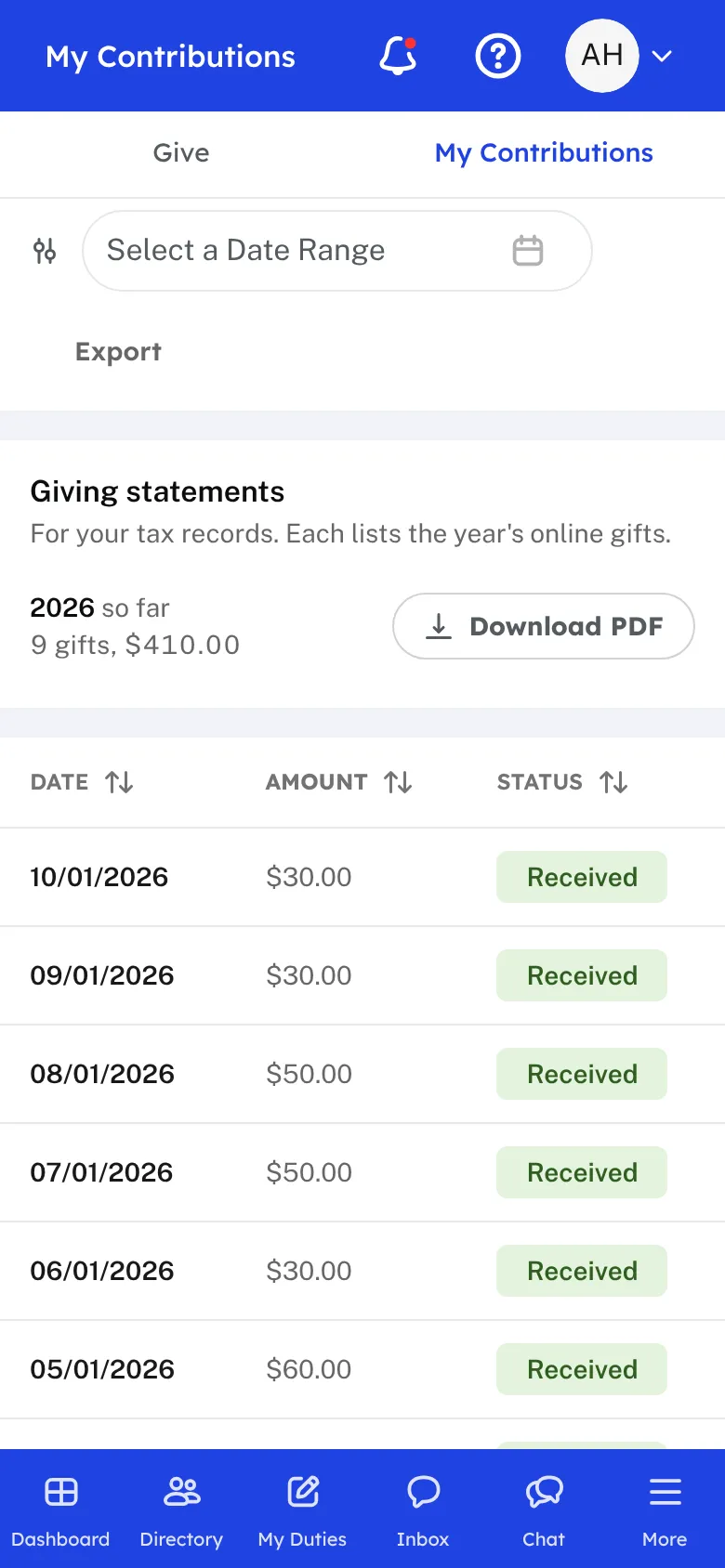
Each gift that goes through is receipted by email from the church. Members open My Contributions to see their past gifts and the status of each. For every year they have given, they can download a giving statement as a PDF, and they can export their list of gifts.
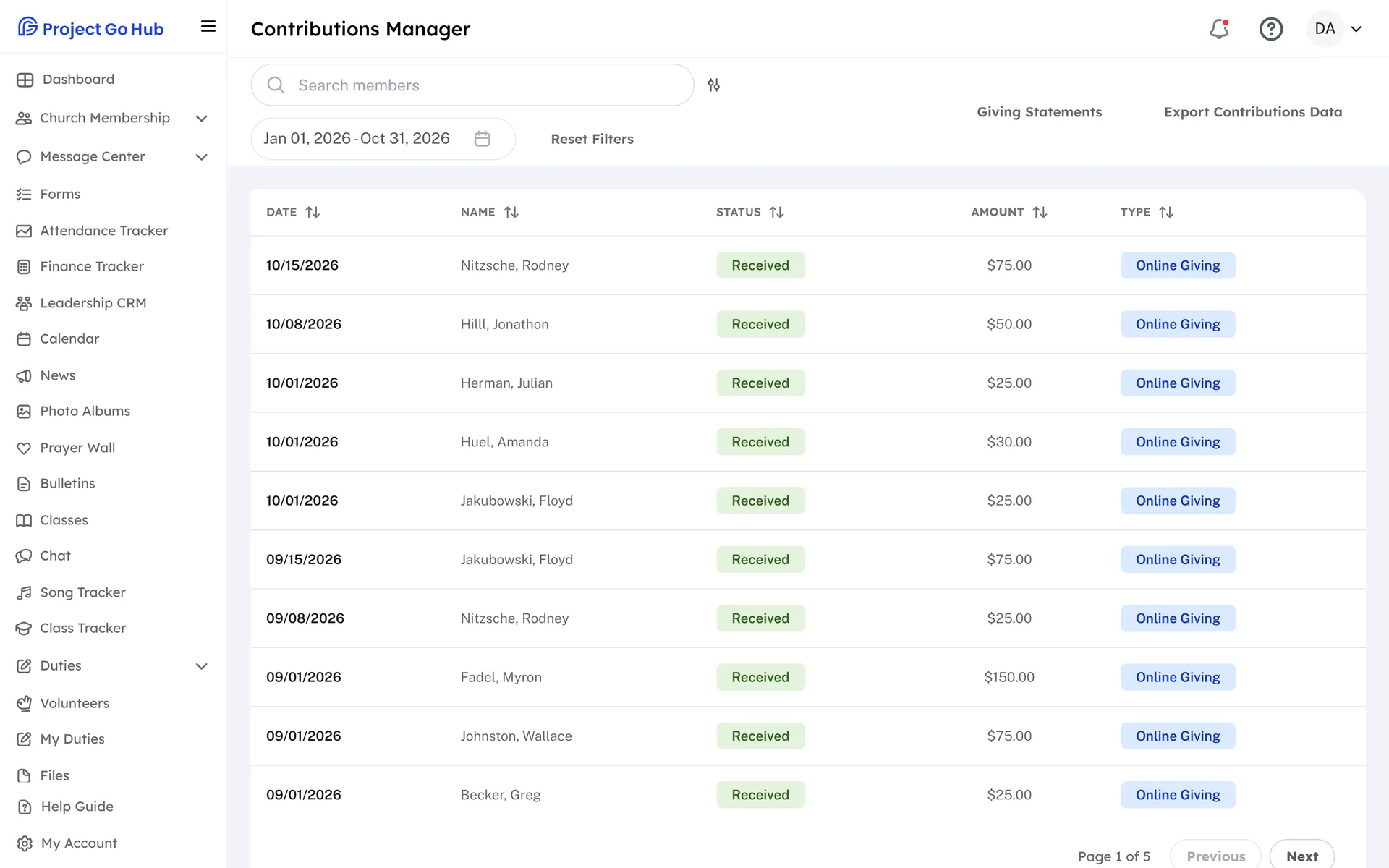
Treasurers use Contributions Manager. It lists every gift for the dates you pick, with search and the status of each one, such as received, processing, failed, or refunded. You can export the list as a CSV or Excel file.
At year end, open Giving Statements. You can preview a giver's statement, send a test to yourself, and then email every giver their statement. Each giver is sent one a year, and you can resend one to a single giver when needed.
Who this helps
Members
They give in a minute from a phone or a computer, can check what they have given, and can download their own statement for tax time without asking anyone.
Leaders
The treasurer sees every gift in one list and sends year-end statements in a few steps. The money goes straight to the church's own Stripe account.
27 features, one platform.
Try the Project Go Hub free, or see everything it does. No credit card required.