
Project Go Hub
Form Builder
Sign-ups, registrations, and requests without paper.
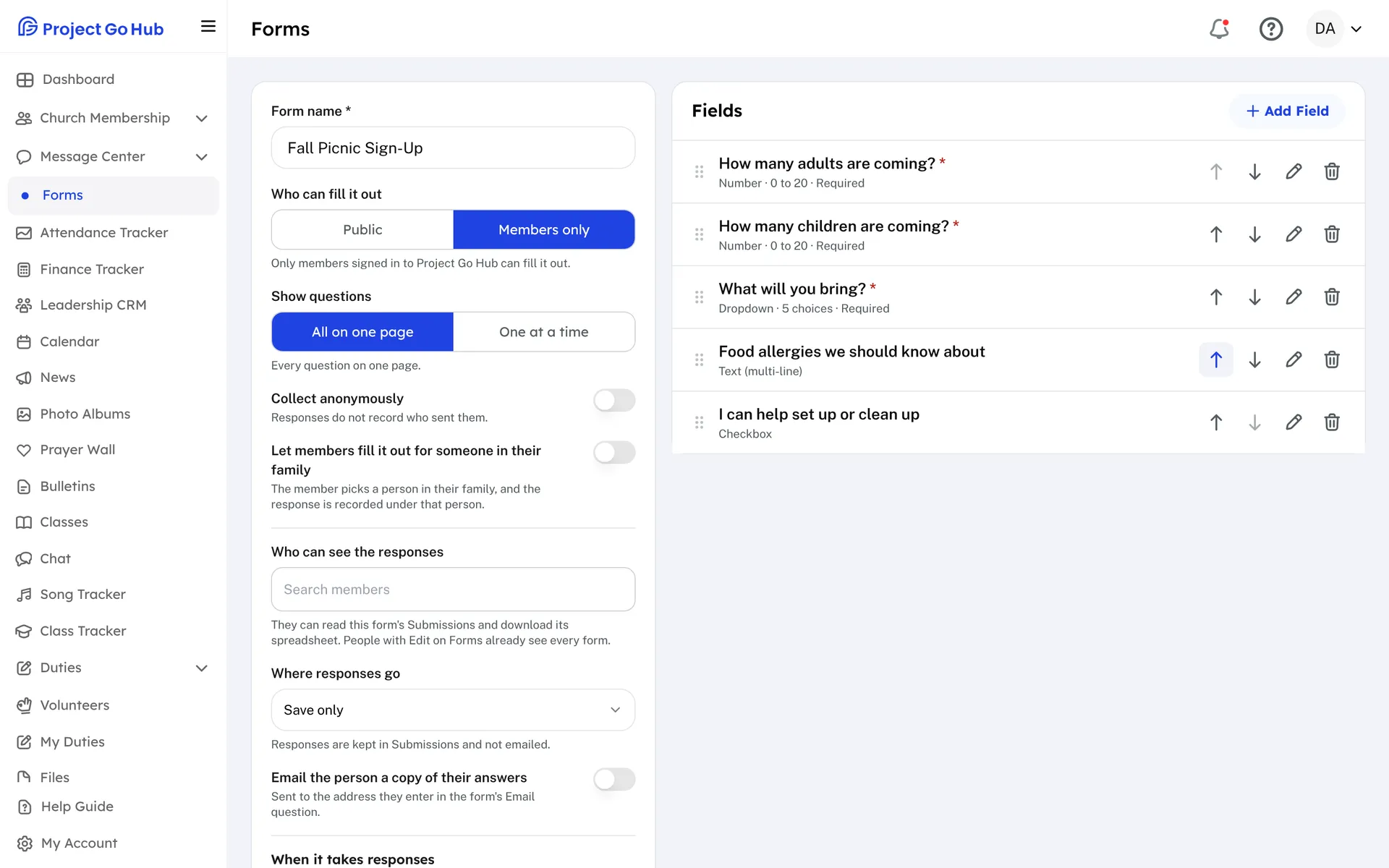
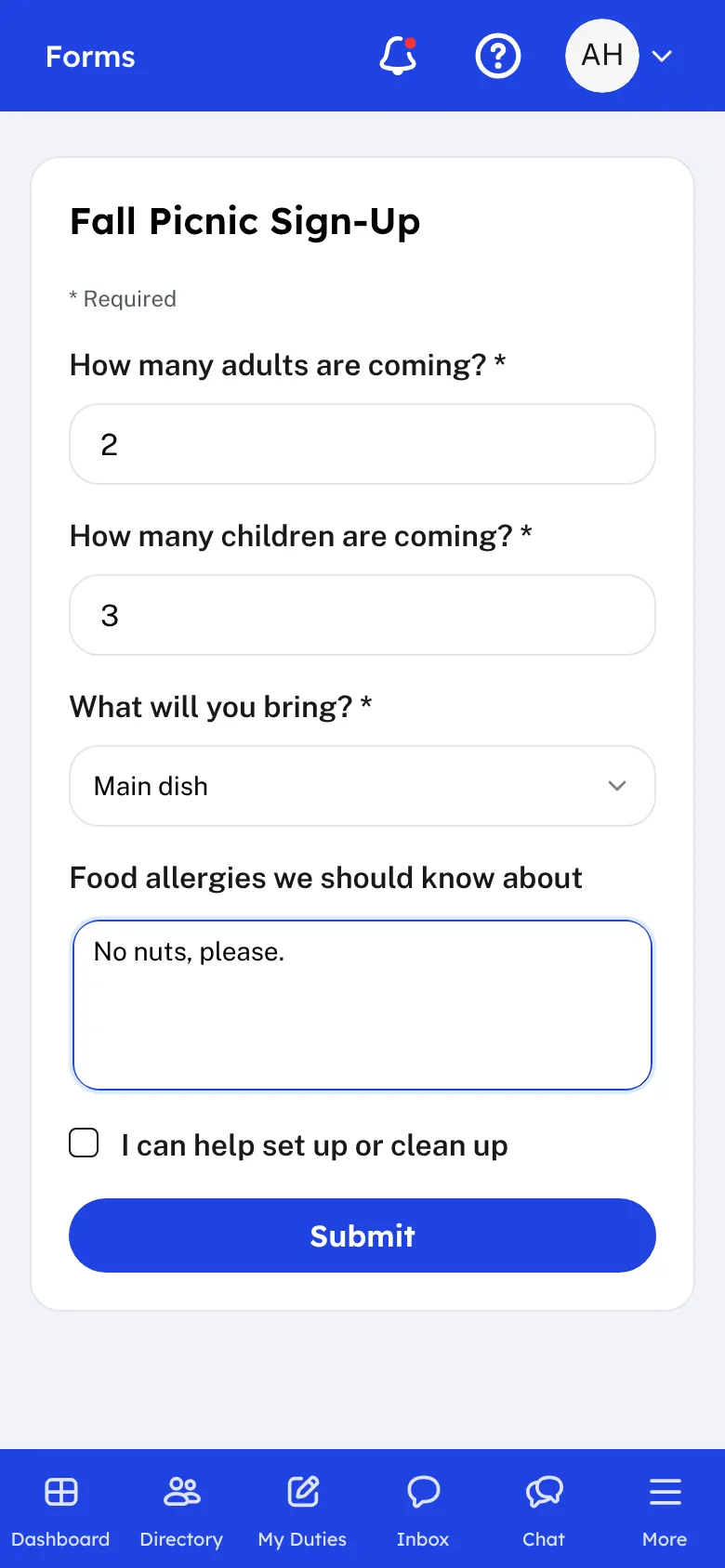
Start a new form from the Forms page and give it a name. Add your questions one at a time. You can ask for a line of text, a longer answer, a dropdown, multiple choice, a checkbox list, an email address, a phone number, a date, a number, an address, or a file upload. You can add a section heading, mark a question as required, add help text, and drag the questions into order.
A question can show only when an earlier answer calls for it. For example, ask about a food allergy only when someone says they are bringing a guest. Then choose who can fill the form out. Public means anyone with the link, signed in or not. Members only means people signed in to the Hub, and you can collect those answers anonymously or let a member answer for someone in their family.
Choose where answers go. They can be kept in Submissions, emailed to the addresses and members you list, or both. You can email the person a copy of their answers. You can set the day a form opens and closes, limit the number of responses, and write the message people see afterward. Save a form as a draft until it is ready, then publish it.
Members see the published forms they can fill out in the Hub, on a phone or a computer. Share a public form by copying its link, or paste its code into a page on your church website.
Submissions shows the responses, newest first. Search them, pick dates, choose the columns to show, delete the ones you do not need, and download the list as a spreadsheet. You can also name members who may read a form's responses without being able to edit it.
Who this helps
Members
They fill out a form from their phone, with no paper and no handing it in. A member can fill one out for a child or spouse in their family when the form allows it.
Leaders
Whoever collects sign-ups, such as a meal list, a retreat registration, or a prayer request, builds the form once and gets the answers by email and in one list, ready to download.
27 features, one platform.
Try the Project Go Hub free, or see everything it does. No credit card required.