
Project Go Hub
Finance Tracker
The church's books, kept simply and kept in order.
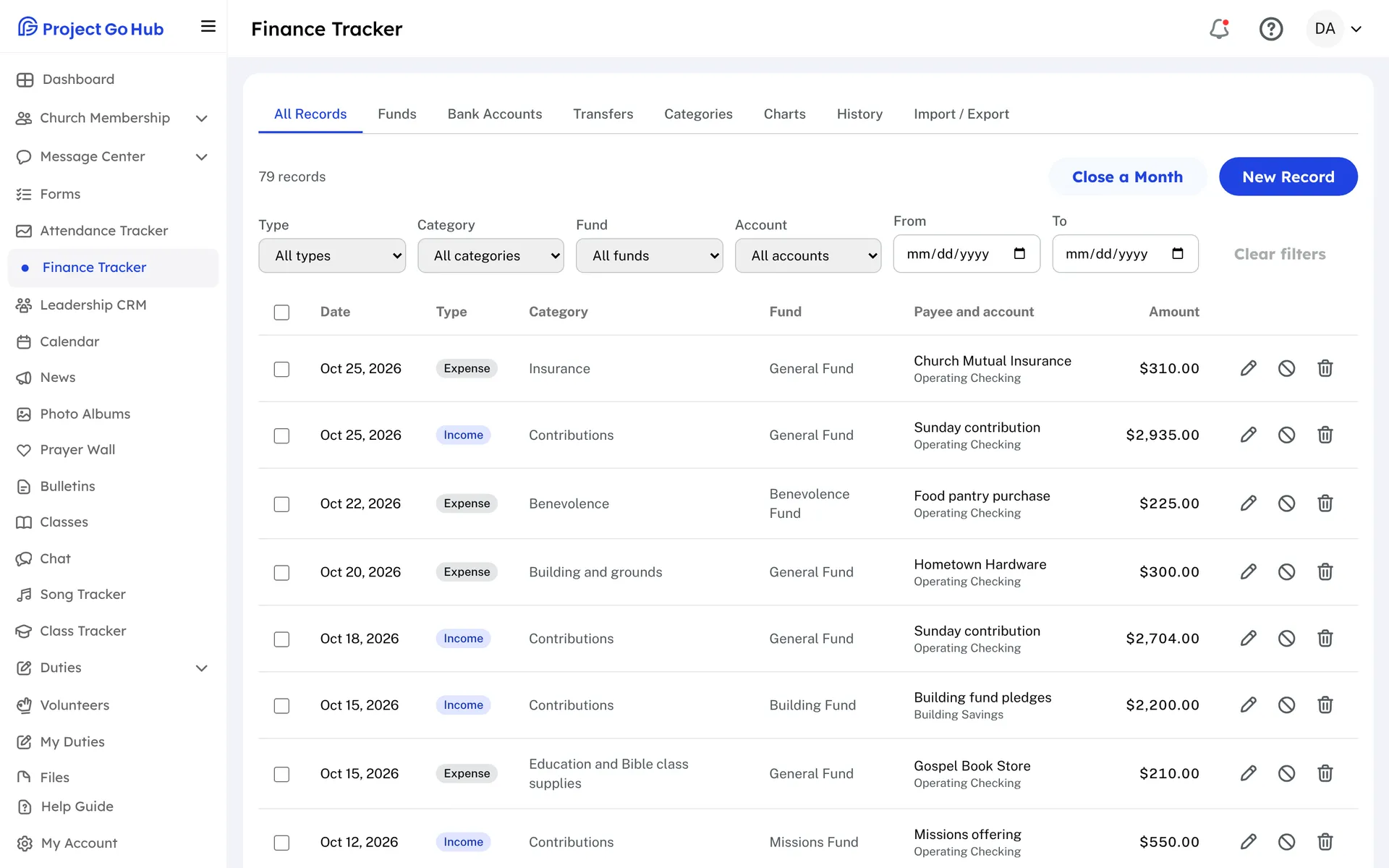
The Finance Tracker is the church's ledger, for the treasurer and others who keep the books. Add a record for each piece of income or each expense, with the date, the amount, a category, the fund, the bank account, who was paid, and a check number. You can also enter a budget as a record. A single record can be split across several funds or categories.
Set up your lists first. Funds are for money set aside for a purpose, such as Building or Missions, and you can mark one as restricted. Bank Accounts can be checking, savings, or cash. Categories can have a sub-category under them. Each fund and each account shows its running balance.
When money moves between your own accounts, or from one fund to another, record it as a Transfer. A transfer changes the two balances without counting as income or an expense. If a record was entered wrong, void it and give the reason, so the original stays in the history.
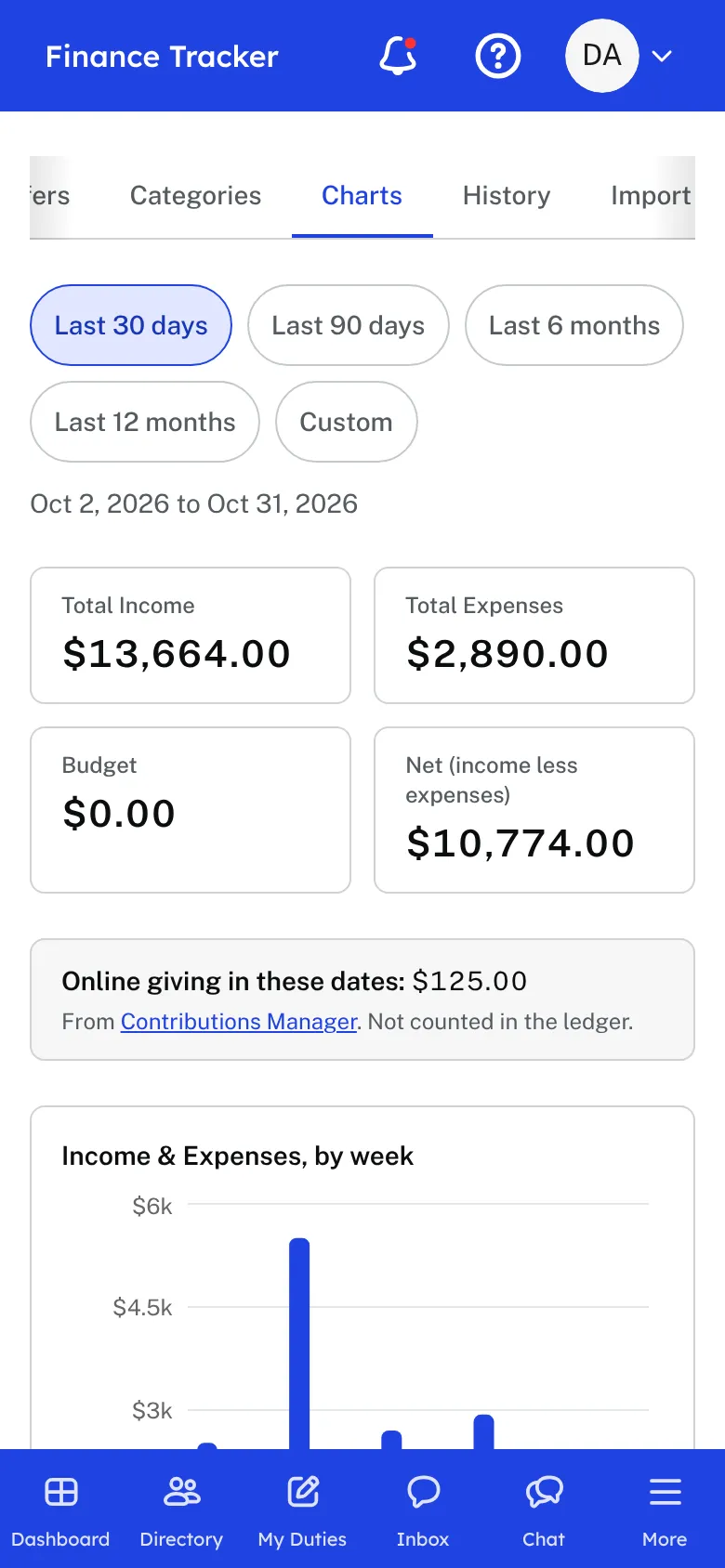
The Charts tab shows income and expenses over time, and by category, for the last 30 days, 90 days, 6 months, 12 months, or dates you choose. Online giving for the same dates is shown beside them, and it is not counted in the ledger. History lists every record or transfer added, changed, voided, or deleted, and who did it.
At the end of a month, close it. Records on or before that day cannot be added, changed, voided, or deleted until the month is reopened. If your numbers live in a spreadsheet, Import / Export brings in a CSV file and downloads your records for any two dates.
Who this helps
Members
Members do not see the ledger. Only roles that have been given edit access to the Finance Tracker can open it.
Leaders
A treasurer or finance committee gets one place for the records, funds, accounts, and budgets. Closing each month keeps last month's numbers from changing, and the history shows who changed what.
27 features, one platform.
Try the Project Go Hub free, or see everything it does. No credit card required.