
Project Go Hub
Duty Scheduling
A month of worship duties in minutes, not evenings.
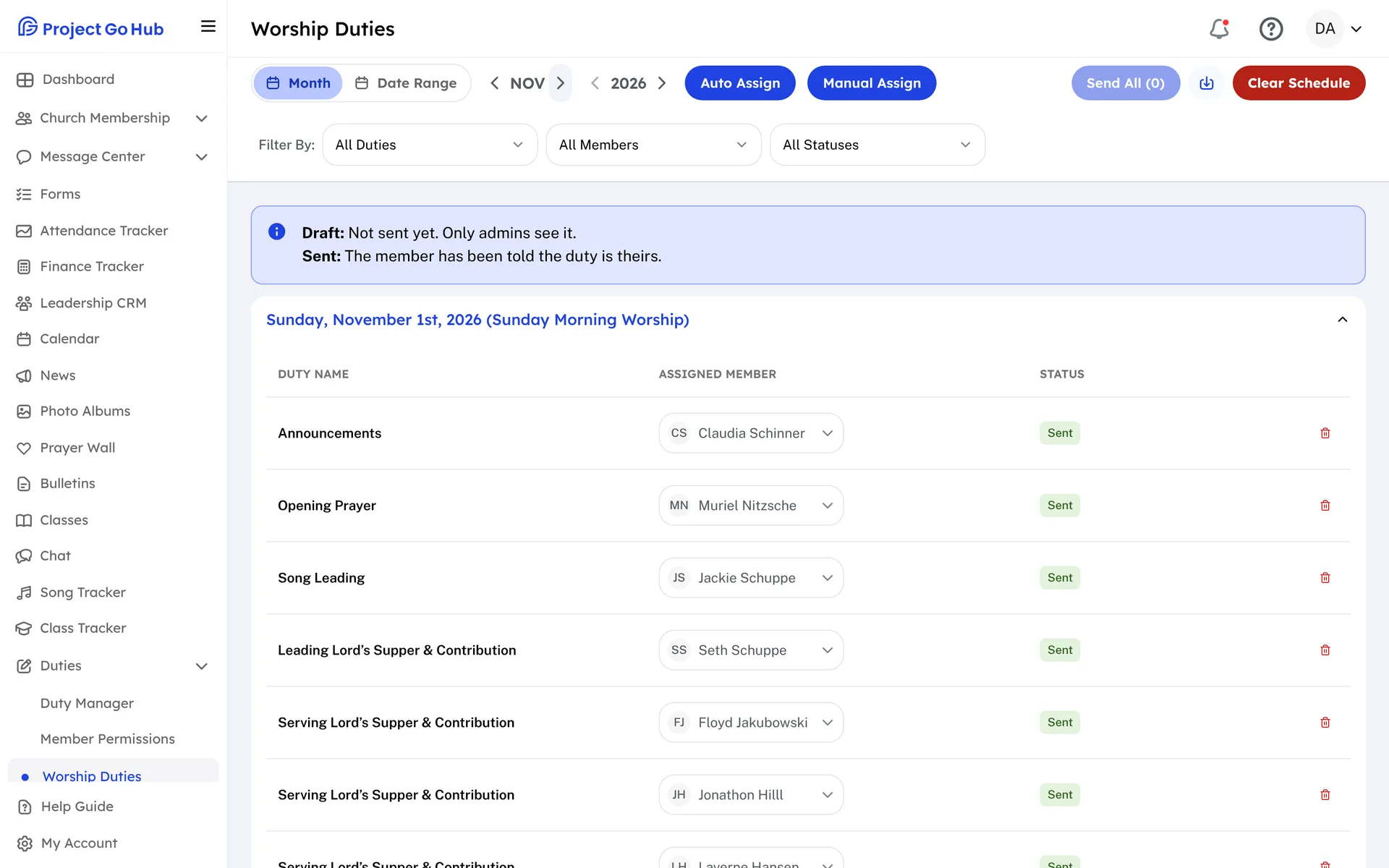
Set up your services and duties once: Announcements, Opening Prayer, Song Leading, the Lord's Supper, and the rest. For each duty, choose which members may do it.
When it is time for a new roster, pick a month, a quarter, or any range of dates, and press Auto Assign. The Hub fills each duty from the members allowed to do it, gives everyone a turn, skips anyone who marked those dates as away, and follows your limits: how many duties one member gets in a month or in a day, and no back-to-back duties.
The roster starts as a draft that only admins see. Change any name by hand, then send it. Members are told which duties are theirs, and everyone can see the month's roster.
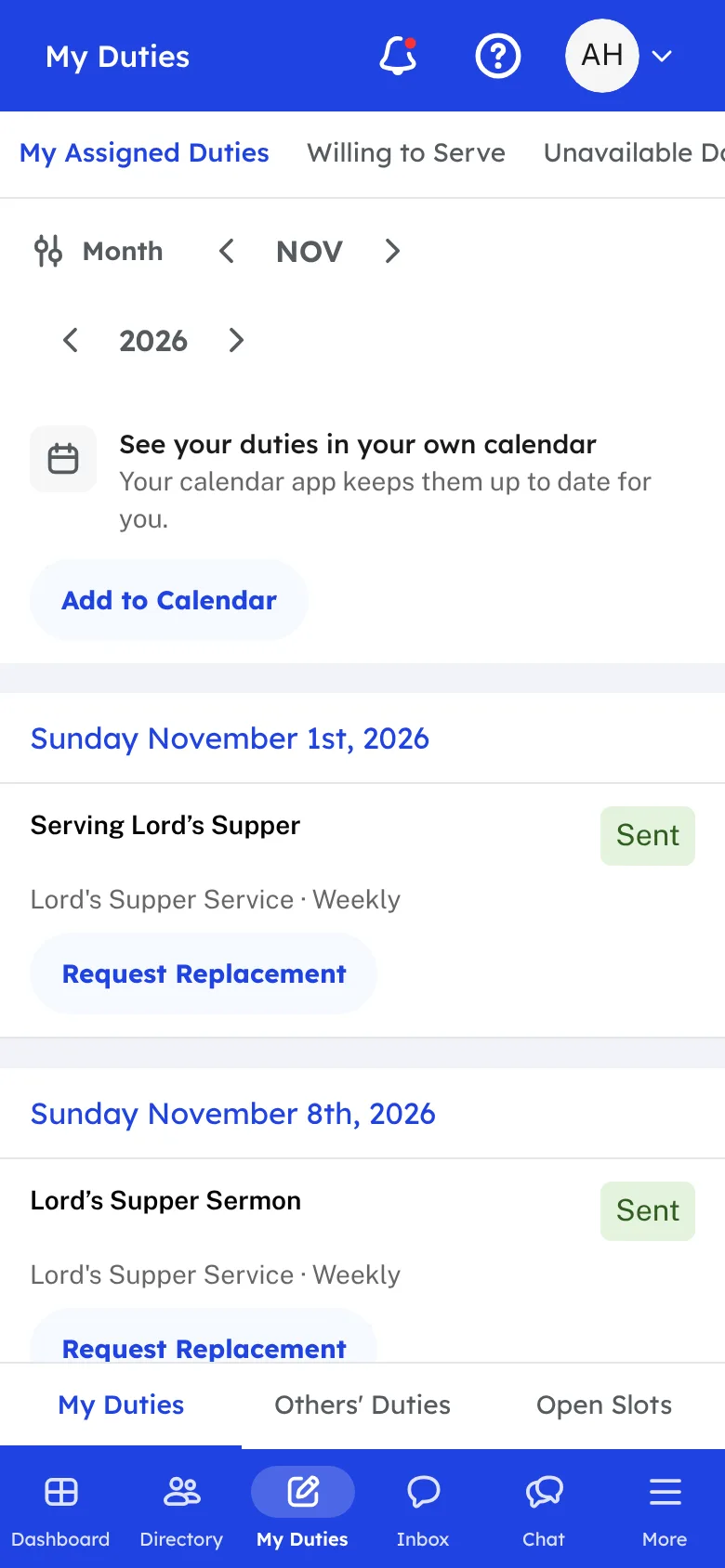
Members keep their own details up to date. They choose the duties they are willing to do, mark the dates they will be away, and request a replacement online when something comes up, so you are not the one keeping every list.
Reminders go out on their own by email, text, and phone notification, from 1 to 7 days before each duty, with extra reminders 3 and 7 days before if you want them. A reminder can carry a one-tap Confirm link, so you know who will be there.
Who this helps
Members
They choose the duties they are willing to do, mark the dates they will be away, and get a reminder before every duty. If plans change, they request a replacement from their phone.
Leaders
The monthly roster becomes a draft to review instead of a puzzle to build. Willingness, turns, and time away are already handled, and the reminders go out without anyone sending them.
27 features, one platform.
Try the Project Go Hub free, or see everything it does. No credit card required.