
Project Go Hub
Bible Class Tracking
Plan the quarter's Bible classes and share them with members.
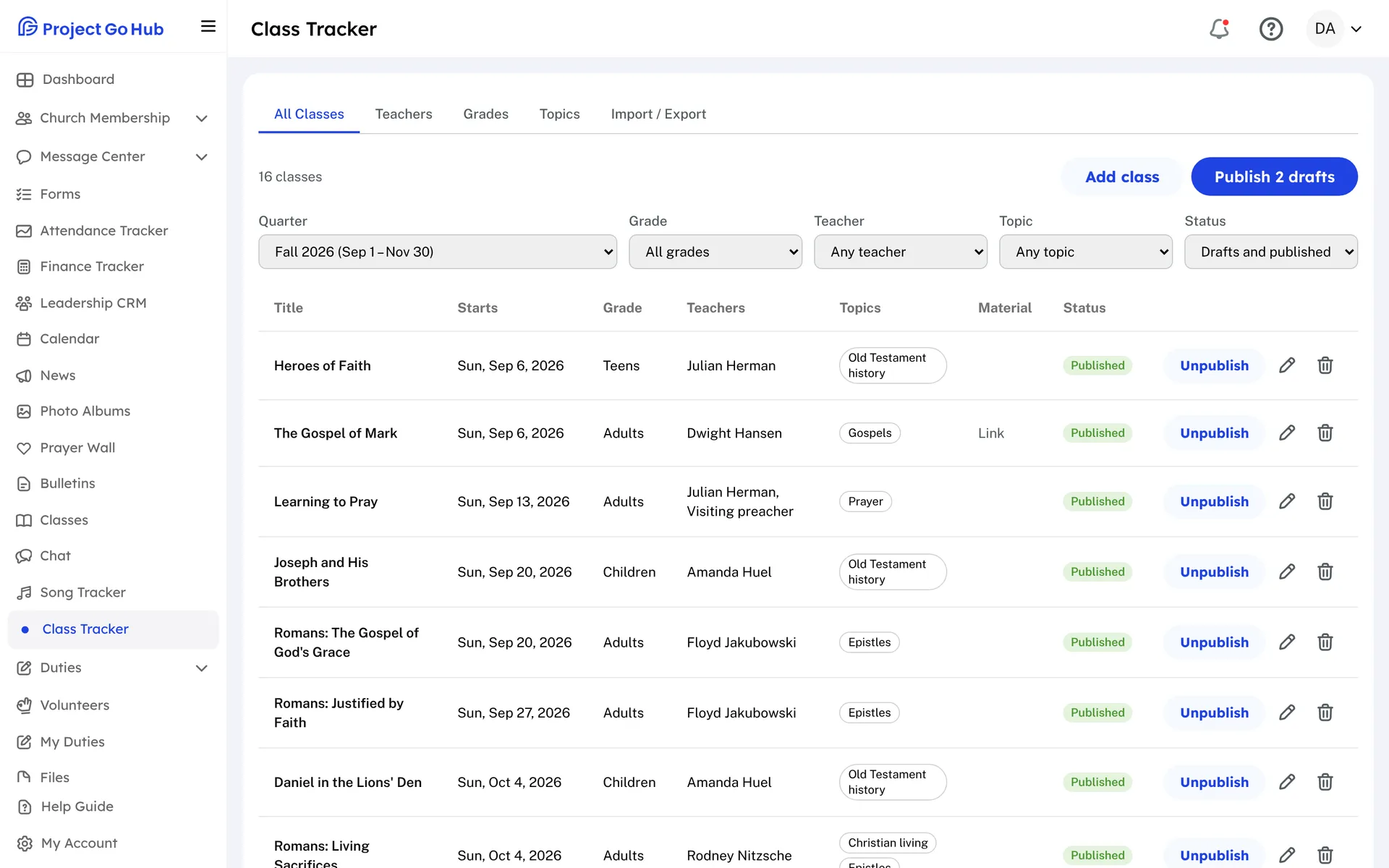
The Class Tracker is where the person who plans Bible classes does the work. Start with your lists. Add your grades, such as Adults or Teens, and your topics. Then add your teachers. A teacher can be a member from your directory or a visiting teacher you type in.
Add each class with a title, the date it starts, a grade, its teachers, its topics, and a short description. You can also attach class material, either a link or a file such as a PDF, a Word or PowerPoint file, or a photo.
New classes start as drafts that only the planners see. Pick a quarter, check the list, and press Publish to release the whole quarter at once. You can also publish or pull back a single class. Filter the list by grade, teacher, topic, or status while you work.
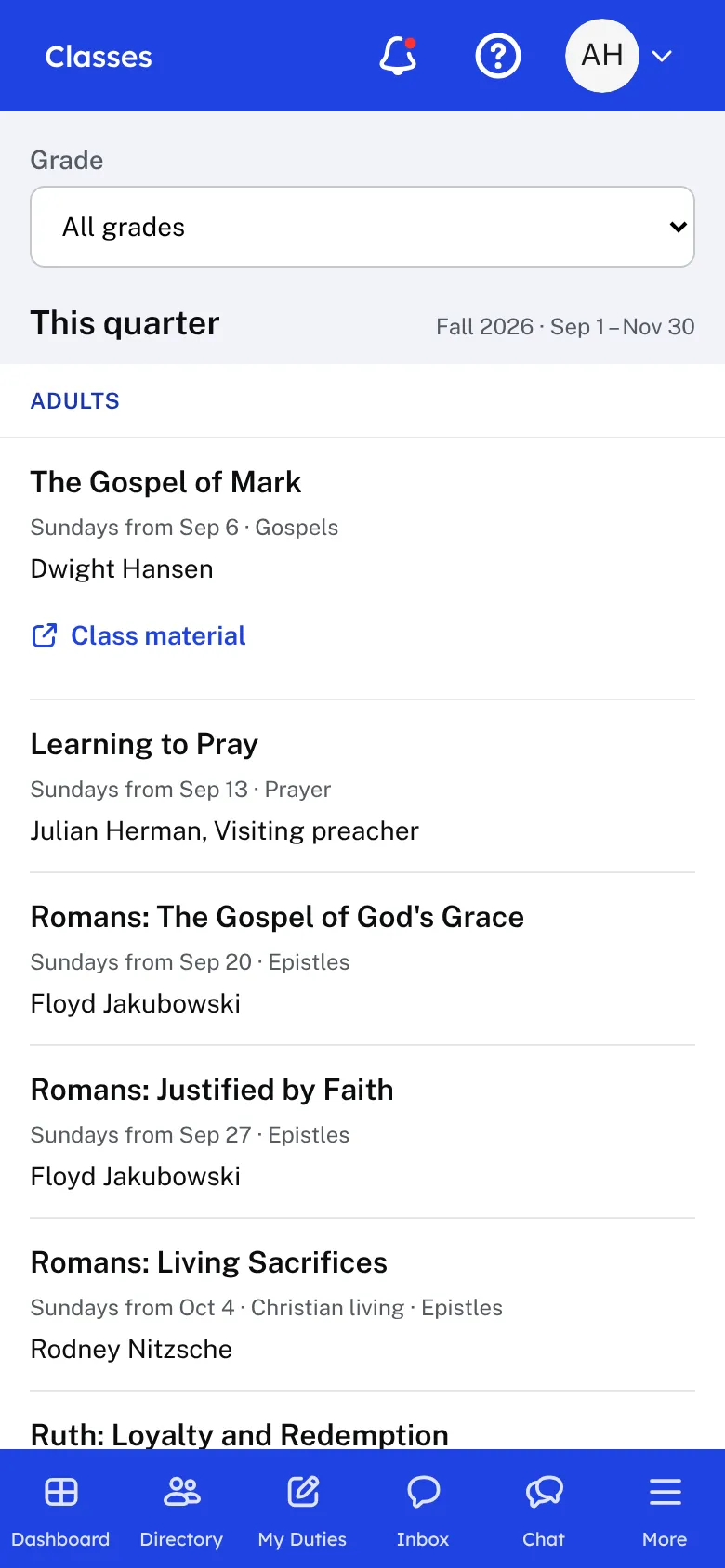
Members open Classes and see the published classes for this quarter and the coming ones, grouped by grade. Each class shows its date, topics, teachers, description, and any material. Earlier quarters stay available below, and members can narrow the list to one grade.
If your classes already live in a spreadsheet, the Import / Export tab takes a CSV or Excel file. It checks the file first and shows any problems before anything is saved. You can also download your classes for any dates.
Who this helps
Members
They open Classes and see what is being taught, who is teaching, and the topics, grouped by grade. They can narrow the list to one grade and open any class material.
Leaders
The person who plans classes can prepare a whole quarter as drafts, review it, and publish it in one step. Teachers, grades, and topics are entered once and reused.
27 features, one platform.
Try the Project Go Hub free, or see everything it does. No credit card required.